Capture attention with vibrant visuals! Explore our world of innovation and style. Elevate your experience with cutting-edge designs. Unleash creativity – discover more today!
Start Your Test Now Dear learners, Are you interested in assessing your progress? Request your mentor to give you access and start your Test.
HTML (Hypertext Markup Language) is the backbone of web development, serving as the standard markup language for creating and structuring web content. As a beginner, understanding the basics of HTML is the first step towards crafting web pages
Learn HTML Basic Tags
1.Introduction to HTML tags
<HTML> HTML, or Hypertext Markup Language, is a standard markup language for creating web pages.
<HEAD> is an HTML element used to contain metadata such as title, styles, and scripts.
<title> is an HTML tag used to define the title of a web page.
<meta> is an HTML tag for providing metadata, such as character set and viewport settings.
<a> The <a> tag in HTML creates hyperlinks, allowing users to navigate to different web pages.
<b> is an HTML element used for bold text formatting in web development.
<strong> is an HTML tag used to make text bold for emphasis.
<body> The <body> tag defines the main content area of an HTML document.
<div> The <div> tag is used to group and style content within an HTML document.
<h1> to <h6> are used to define different levels of headings in HTML.
The <i> tag in HTML is used to italicize text within a document.
The <li> tag is used in HTML to create a list item within an ordered or unordered list.
<ol> is an HTML tag used to create ordered lists with numbered list items.
<ul> is an HTML element used to create unordered lists of items on web pages.
The <p> tag in HTML is used to define a paragraph of text content.
A <span> is an inline HTML element used for styling or grouping text or inline elements.
2. Head & Body tags :
The HTML<head> Tag is used to define the head portion of the document which contains information related to the document.
<title>
<meta>
<link>
<style>
<link>
<script>
The <body> tag in HTML is used to define the main content present inside an HTML page. It is always enclosed within <HTML> tags.
The <title> tag is used to give the title to the webpage and it should be the text only. The <title> tag in HTML is used to define the title of an HTML document.
HTML
 <!DOCTYPE html>
    <html>

    <head>
      <meta charset="utf-8">
      <meta name="viewport" content="width=device-width, initial-scale=1, maximum-scale=1">
      <meta name="description"
            content=
            "A Computer Science portal for Eligo CS.">
      <meta http-equiv="Content-Type" content="text/html; charset=utf-8" />
    </head>

    <body>

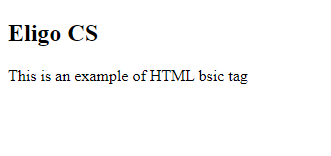
      <h2> Eligo CS</h2>
      <p>
        This is an example of HTML basic tag </p>

    </body>

    </html>
HTML
3. Working with HTML Heading Using Header Tag & Paragraph tag :
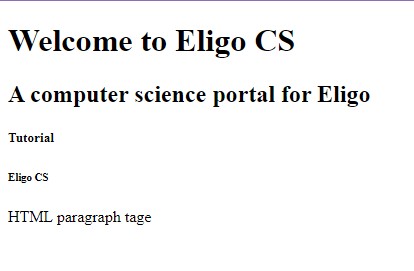
The <h1> to <h6> HTML elements represent six levels of section headings. <h1> is the highest section level and <h6> is the lowest.
The <p> tag in HTML defines a paragraph. These have both opening and closing tags. So anything mentioned within <p> and </p> is treated as a paragraph.
HTML
<!DOCTYPE html>
<html>
<body>
    <h1> Welcome to Eligo CS</h1>
    <h2> A computer science portal for Eligo</h2>
    <h5> Tutorial</h5>
    <h6> Eligo CS </h6>
    <p> HTML paragraph tag</p>
</body>
</html>
HTML
4. Working with HTML < br > ,< hr > tags and comments:
The <hr> tag in HTML stands for horizontal rule and is used to insert a horizontal rule or a thematic break in and HTML page to divide or separate document sections.
The <br> HTML element produces a line break in text (carriage-return).
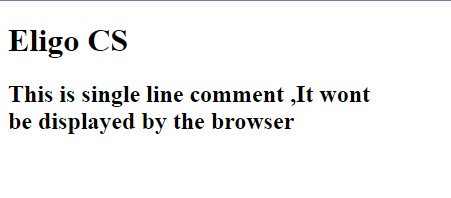
HTML Comments are used to insert comments in the HTML code. Syntax: <!— comments —>
HTML
 <!DOCTYPE html>
<html>
<body>
    <!--This is heading Tag, It wont be displayed by the browser -->
    <h1> Eligo CS </h1>

    <!--This is single line comment ,It won't be displayed by the browser -->
    <h2>  This is single line comment ,It won't <br>  be displayed by the browser </h2>
</body>
</html>
HTML
5. Working with HTML Basic Text Formating:
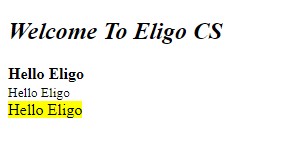
HTML Text Formatting provides various tags for text formatting to enhance the visual presentation of content on a webpage. You can make your text bold, italic, etc. by using some HTML tags.
HTML Links are connections from one web resource to another. A link has two ends, An anchor and a direction.
we will know the HTML Image, how to add the image in HTML
We can make elements like images into links by nesting them within an <a> element. It defines a hyperlink that is used to link from one page to another. If the <a> tag has no href attribute, then it will be only a placeholderfor a hyperlink.
HTML
<!DOCTYPE html>
<html>
<head>
    <title>
        HTML text formatting
    </title>
</head>
<body style="text-align: center;">
    <a href="https://www.eligocs.com"> Eligo CS</a>
    <h3>
        Click on Eligo CS  logo to Redirect into eligocs.com
    </h3>
    <a href="https://eligocs.com">
        <img src=
        "C:\Users\ecs\Desktop\seminar.png"
             alt="Click to visit geeksforgeeks.org">
    </a>
    <img src=
"file:///C:/Users/ecs/Desktop/goa-tour/img/kerala-%20Alleppey.webp"
         alt="GFG image" />

</body>

</html>
HTML
Dear learners, Are you interested in assessing your progress? Request your mentor to give you access and start your test.